
01
Speed
Understand your finances at a glance
See what you've spent, what's coming up, and what's left.
No hunting around. The opening experience answers your immediate questions so you can get in, get oriented, and get out.
Most budget apps feel like homework. Kiwi shows what you spent, what's coming, and what's left — and flags surprise bills. 30-day Pro trial, no card required.
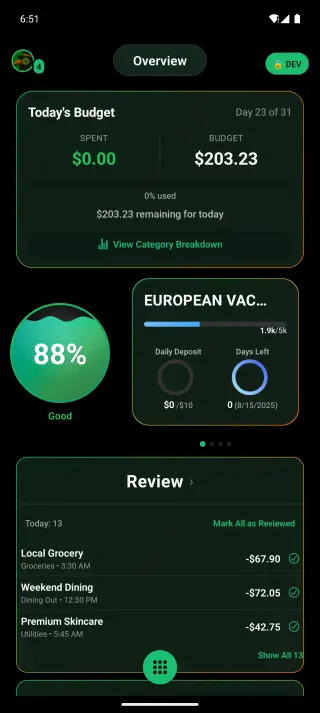
Speed
See what you've spent, what's coming up, and what's left.
No hunting around. The opening experience answers your immediate questions so you can get in, get oriented, and get out.
Focus
Subscriptions and repeat charges stay clearly visible.
Small recurring costs add up quietly. Kiwi keeps them surfaced so they're easier to spot, question, or cancel.
Rhythm
Check in on your money before it becomes damage control.
Good money habits come from repeat contact. Kiwi uses light prompts and rewards to keep your momentum going.
Product Tour
Budgets, subscriptions, net worth, and goals — built for a daily money check-in.
Overview
Balances, today's budget, goals, and transactions to review — without digging through five menus.
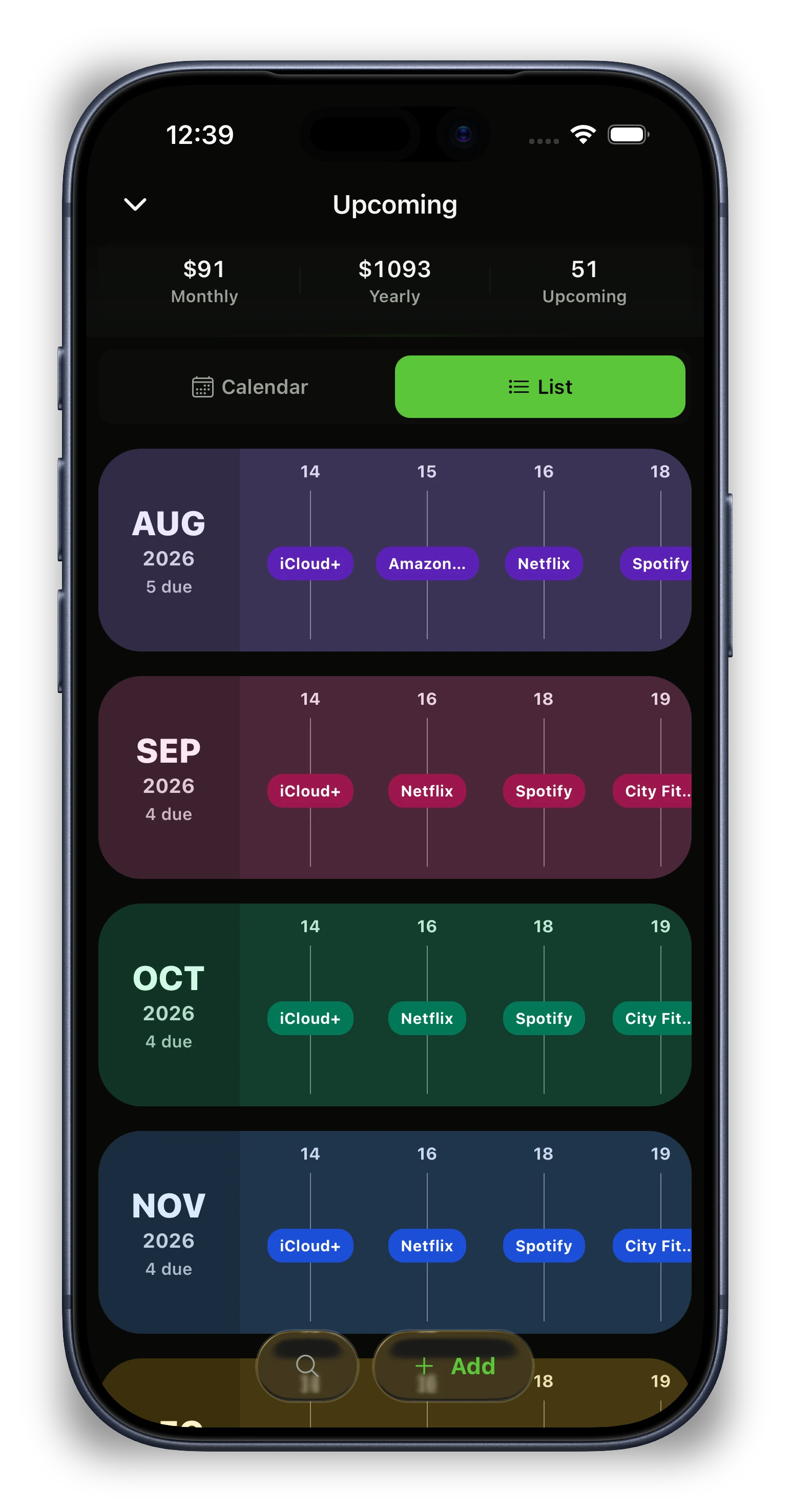
Subscriptions
Upcoming bills stay visible so recurring costs are easier to spot, question, or cancel.
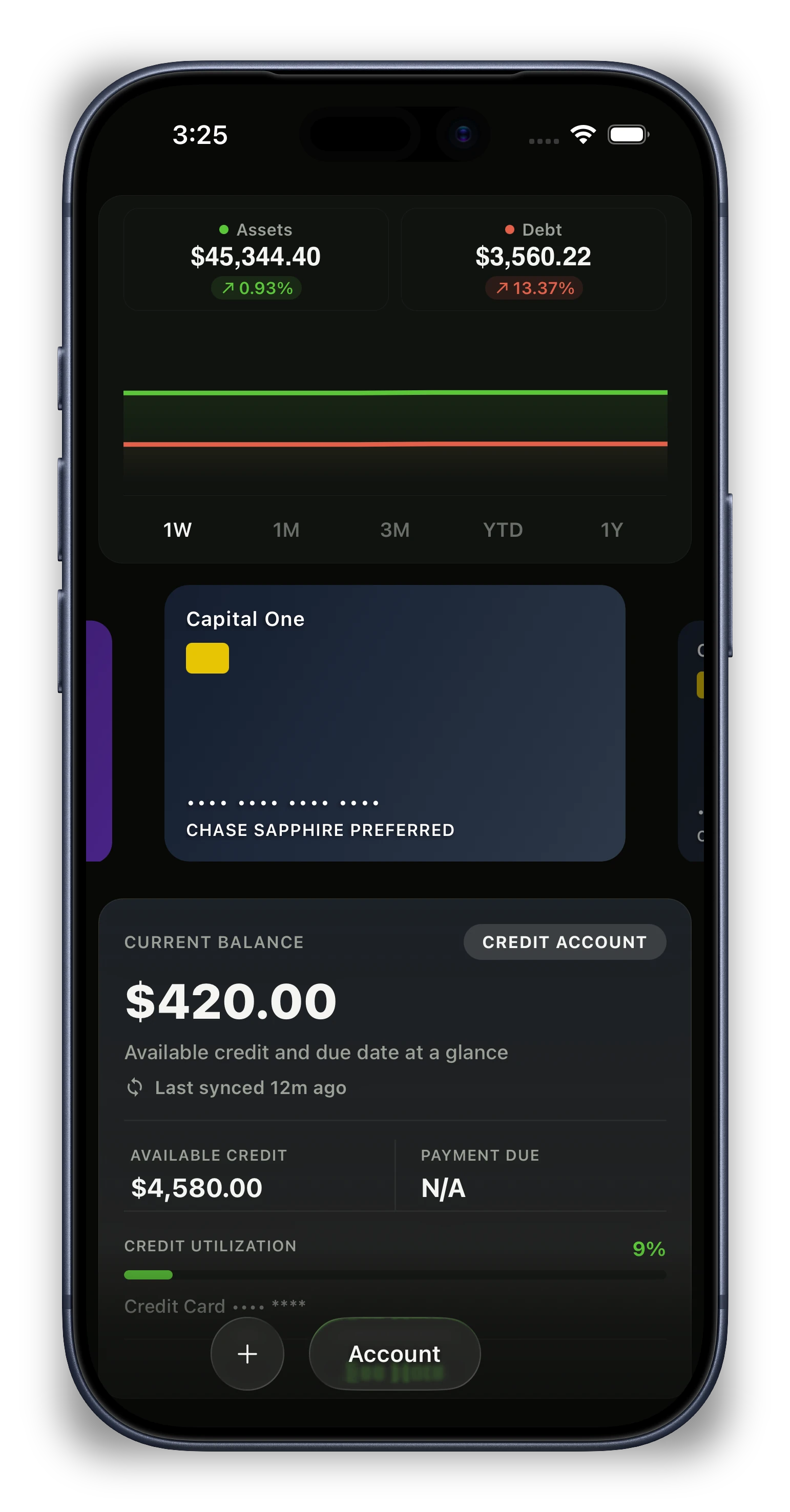
Net worth
Accounts, cash, credit, and investments roll up so net worth is always one tap away.
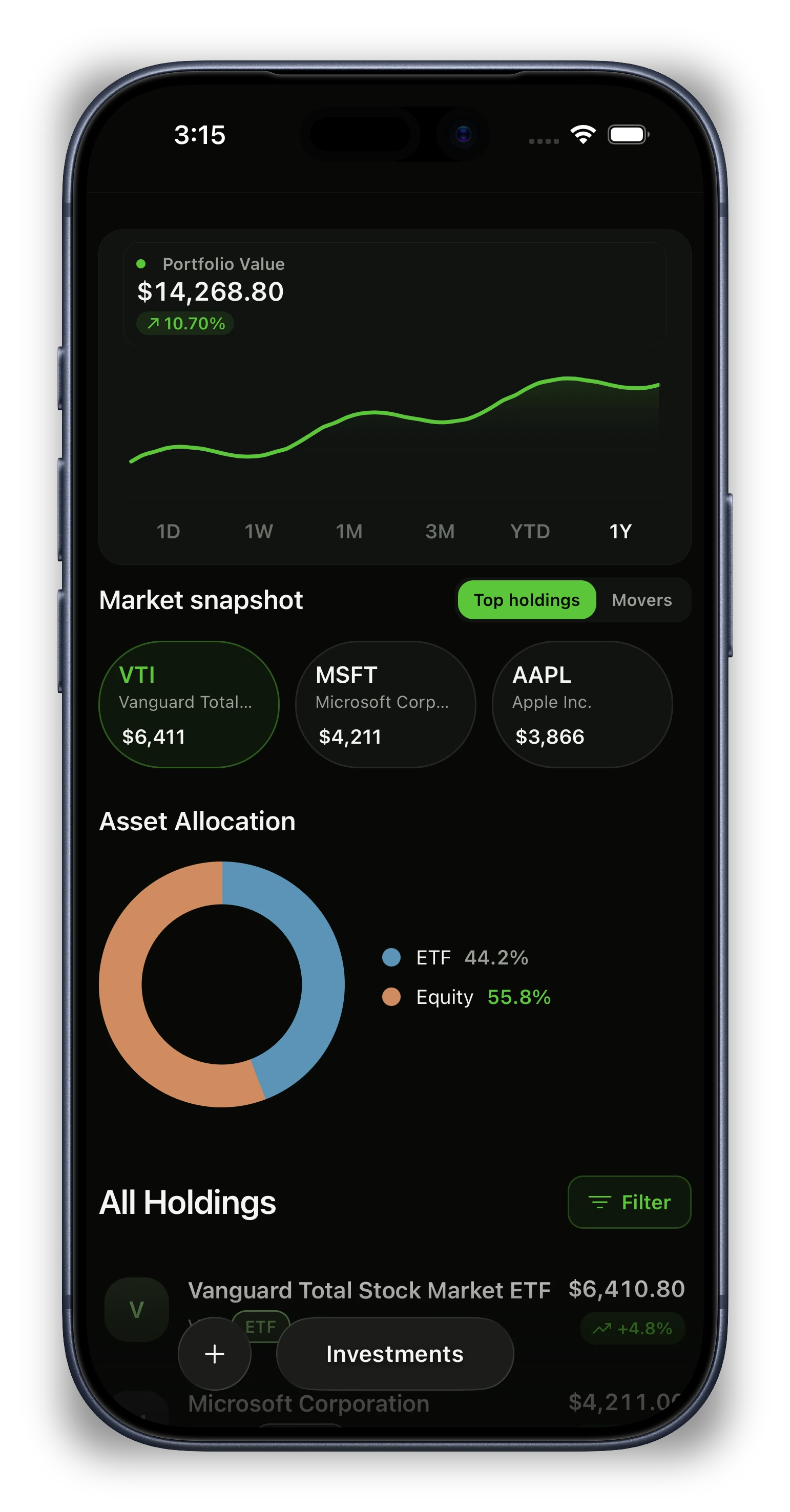
Investments
Brokerage accounts, allocation, and positions live next to the rest of your money.
Product System
A focused set of tools designed to give you clarity and control over your finances.
Analytics
2Understand what changed, where it changed, and what needs attention.
Investment Tracking
Monitor your investment portfolio performance with real-time updates
Spending Insights
Advanced analytics and spending patterns to help you understand your money habits
Planning
1Keep goals and forward plans tied to what your money can actually support.
Financial Goals
Set and track your financial objectives with milestone tracking and progress updates
Budget Management
1Set limits, watch pacing, and know where the month stands at a glance.
Budget Tracking
Set and track monthly spending budgets with intelligent alerts and insights
Tracking
1See transactions, subscriptions, and recurring charges without digging.
Smart Notifications
Get notified about important spending patterns, bill due dates, and budget alerts
AI Features
1Let automation handle repetitive work while you stay in control.
Smart Categorization
AI-powered automatic expense categorization that learns from your spending patterns
Habit Layer
Kiwi uses light motivation to make regular check-ins fun, so staying on top of your money feels natural.
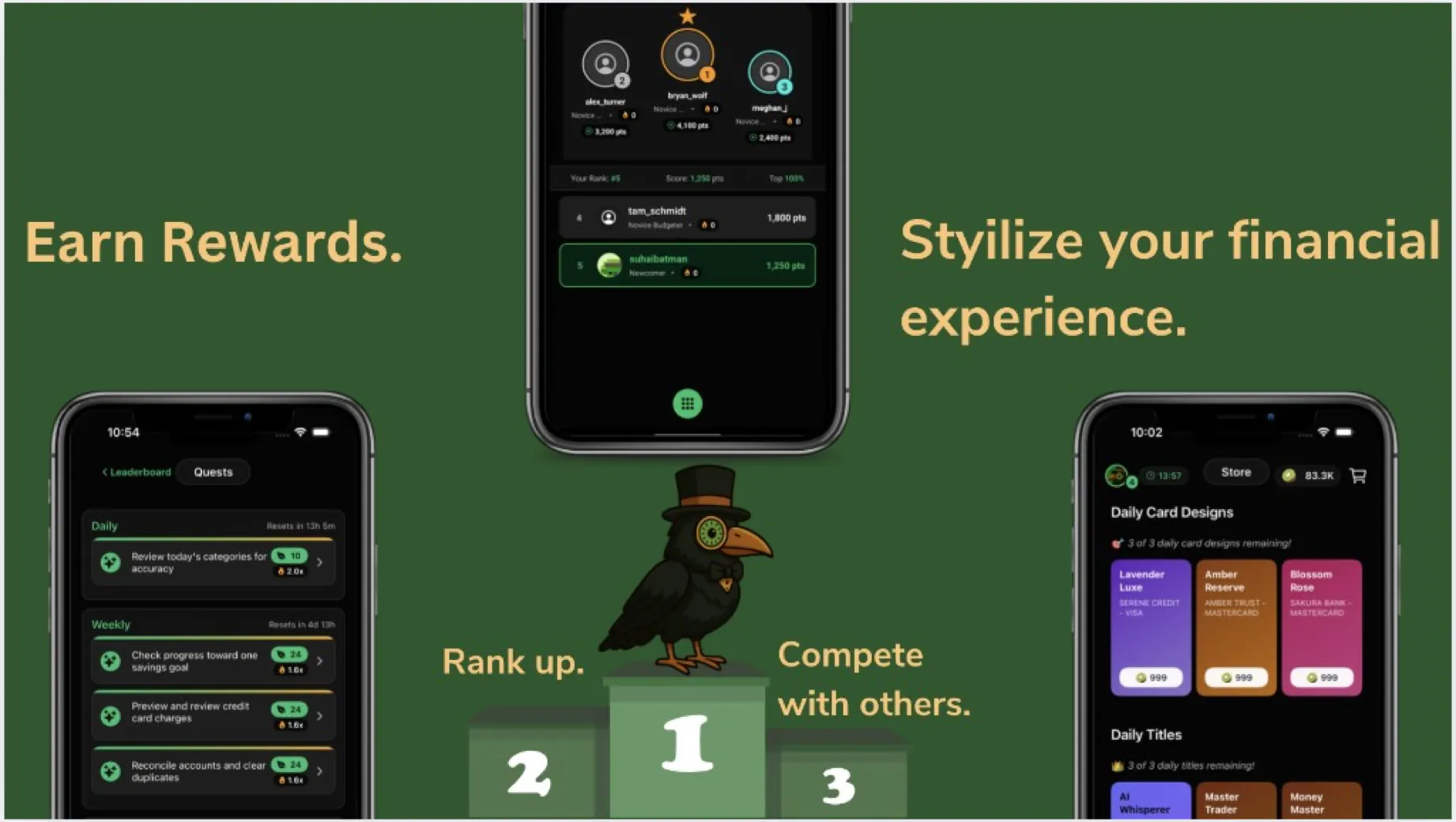
Daily and weekly prompts — review categories, check goals, clear duplicates — with seed rewards and multipliers.
Rank up against friends. Shared progress makes regular check-ins feel more alive than a lonely spreadsheet.
Spend earned seeds on card designs and titles — small style unlocks that make steady effort feel noticed.
Pricing
Start with a 30-day Pro trial — no card required. Then stay on Kiwi Pro monthly or annual.
Subscription
Monthly
$14.99
Annual
$99.99
Save $79.89 each year on annual billing
Security
Kiwi is designed to help you understand your finances, not move them around. Your connections are read-only, encrypted, and easy to manage.
Security
Your sensitive data stays protected in transit and at rest.
Security is built into Kiwi from the start. We respect how sensitive your financial data is and protect it accordingly.
Connections
Kiwi shows you what's happening. It never moves your money.
Connected accounts are strictly for visibility. We surface trends and balances while leaving account control safely at your bank.
Control
Change your setup without the hassle.
If a bank changes or you want to simplify what you track, disconnecting is just as straightforward as joining. You stay in control.
FAQ
Trial, tracking, and how Kiwi stays read-only.
FAQ
A budgeting app built around a daily money check-in: spent, coming, left — plus surprise bills before they hit.
Budgets, subscriptions, net worth, investments, and goals in one place. 30-day Pro trial, no card required.
FAQ
Spending, recurring charges, remaining budget, net worth, and investments — together.
Designed for quick check-ins, not long cleanup sessions. The signals you need stay close without bouncing between apps.
FAQ
Yes. 30-day Pro trial — no card required.
Try the full Pro experience free. After 30 days, keep Kiwi Pro if it earns it — cancel anytime before the trial ends if it is not a fit.
FAQ
No. Kiwi is built for visibility, not transactions.
Your connected accounts are read-only. We help you see balances and trends, but you always stay in control at your bank.
Guides
Habits, subscriptions, and honest comparisons with other budget apps.
The daily habit Kiwi is built around — without spreadsheet homework.
Read guideCatch recurring charges before they surprise you.
Read guideDaily check-ins versus envelope budgeting — who each approach fits.
Read guidePricing, features, and who each app fits best.
Read guideGet Kiwi Finance
Live on iOS and Android. Start a 30-day Pro trial — no card required — and see what your money looks like without the clutter.